If you’re running a busy retail operation, you already know the value of a point of sale (POS) system that’s easy to implement. Getting your system up and running quickly, without technical headaches or lengthy training, means you can start serving customers sooner. It also keeps your team focused and helps you move toward your goals faster.
But the benefits of smooth implementation go far beyond day one.
Easy POS implementation helps you avoid the common pitfalls that can stall progress. You won’t be stuck waiting weeks for hardware installation, wrestling with complicated software downloads, or navigating hard-to-use programs. A seamless start reduces the risk of costly delays, builds confidence across your team, and lays the groundwork for long-term efficiency and satisfaction. More than just helping you launch quickly, an intuitive POS helps set your store up for sustainable success.
Today’s modern POS platforms, especially those built for small retailers, are increasingly focused on removing new system implementation roadblocks. With web-based access, intuitive onboarding tools, and smart support options, it’s easier than ever to get started without the need for a tech expert.
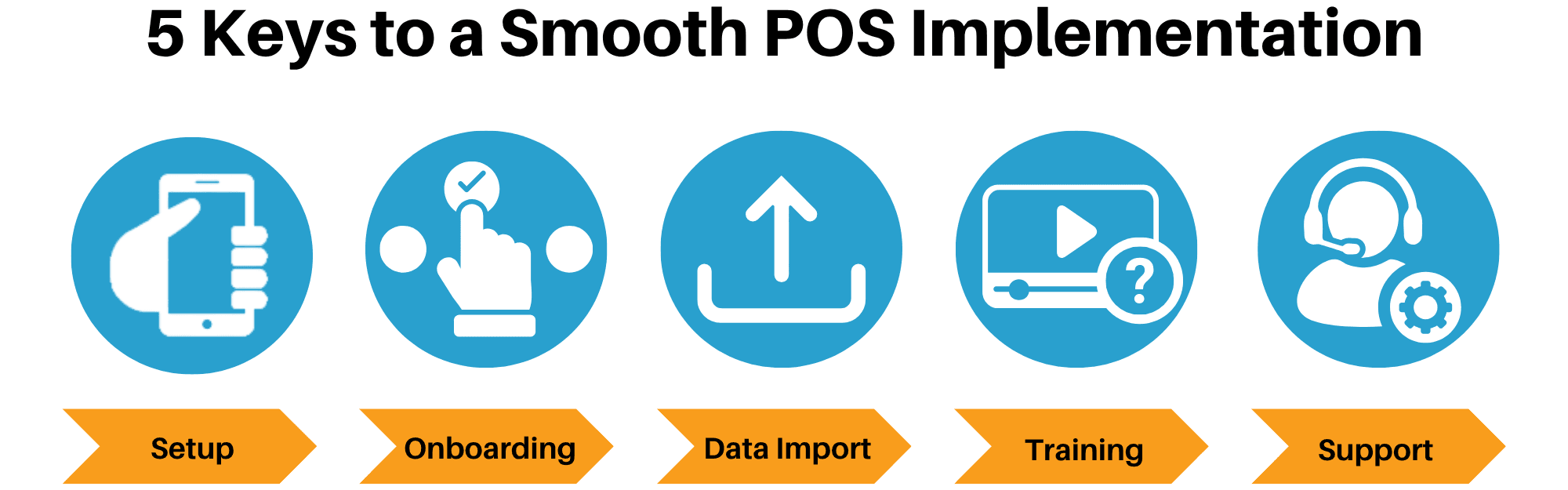
But the real challenge comes in knowing how to recognize a POS system that truly delivers on ease of implementation. We walk you through five essential categories that signal a smooth onboarding experience, along with the features that support them and the right questions to ask vendors.
Minimal Technical Setup for an Easy POS Launch
One of the biggest advantages of today’s cloud-based POS systems is that you can often get started without custom equipment or software downloads. The system should work on the devices you already have, such as a laptop or tablet, and launch directly from a web browser. An easy POS lets you set up your store on your schedule without waiting for technical support or lengthy installations.
Key Features |
|
Ask Trusted POS Vendors |
|
An easy POS system that lets you begin setup on your schedule, without waiting for an IT visit, can significantly speed up your launch timeline and reduce upfront costs.
Straightforward Onboarding
An intuitive onboarding experience doesn’t just save you time. It gives you the confidence to move forward without second-guessing each step. Whether you’re setting up product categories, entering store information, or configuring payment types, you should be able to walk through the process without hurdles.
Look for solutions that include easy POS onboarding tools or checklists. These help ensure that nothing important gets missed and that you’re up and running with a complete, functional setup.
Key Features |
|
Ask Trusted POS Vendors |
|
The goal here is simplicity. Onboarding shouldn’t feel like a technical project. You should be able to work at your own pace, make adjustments as needed, and know exactly what’s left to complete.
Easy POS Data Import
Manually entering data can be a major time sink and a common source of errors. An easy POS system that supports user-friendly data import will save you hours of work and help you bring over existing information from spreadsheets or your previous POS system.
If you already have a product catalog with costs and vendor information saved in Excel or another format, make sure the POS system can import that data without needing complex formatting or outside help.
Key Features |
|
Ask Trusted POS Vendors |
|
Being able to bring your data with you — without starting from scratch — makes your transition smoother and helps you start selling sooner.
Staff-Friendly Training
Even the most powerful POS system won’t do much good if your team struggles to use it. A well-designed interface should make daily tasks — such as processing transactions, applying discounts, and checking stock — easy to learn after a quick orientation.
Look for systems designed with retail staff in mind. Training should take hours, not days, and new hires should be able to learn the basics with little more than a short video or a quick hands-on demo.
Key Features |
|
Ask Trusted POS Vendors |
|
A POS system that’s easy for employees to learn not only reduces onboarding time but also helps prevent errors at the register and builds confidence on your sales floor.
Responsive Support When You Need It
Even with a user-friendly system, questions are bound to come up. That’s why timely, knowledgeable support is essential, especially in the early days of using a new platform. As the U.S. Chamber of Commerce puts it: “Great customer service can help you ensure that you’re getting what you pay for and that you’re maximizing your POS system’s overall effectiveness.”
Key Features |
|
Ask Trusted POS Vendors |
|
Strong support ensures that small issues don’t turn into big delays. It gives you peace of mind knowing there’s someone available when you need them.
A POS system that’s easy to implement offers more than just getting off to a quick start. It also builds a stronger foundation for your entire retail operation. A smooth setup reduces the friction of getting started, accelerates staff training, and minimizes disruption as you make the transition. But the real value continues well beyond launch day.
When implementation is seamless, you benefit from a faster return on investment and lower onboarding costs. Your team gets up to speed with confidence, improving daily operations and overall staff satisfaction. A clean, organized rollout also means fewer errors, less downtime, and a more consistent customer experience from the start.
Just as importantly, a stress-free start sets a positive tone for how your team interacts with the system over time, making it more likely to be used consistently and effectively.
By focusing your evaluation on the five key categories — quick setup, simple onboarding, easy data import, staff-friendly training, and responsive support — you’ll be well-positioned to choose an easy POS solution. One that doesn’t just meet your current needs but also supports your long-term success.
Ask the right questions, look for the right features, and choose a POS system that helps you get up and running while supporting your business as it grows.